一键清除系统垃圾文件
电脑使用中会产生很多缓存文件,时间久就会占用太多硬盘空间,又不知道如何清理,这里可以使用下面批处理文件进行一键清除系统垃圾文件。 @echo off echo 正在清除系统垃圾文件,请稍等。。。。。。 del /f /s /q %systemdrive%\*.tmp del /f /s /q %systemdrive%\*._mp del /f /s /q %systemdr电脑使用中会产生很多缓存文件,时间久就会占用太多硬盘空间,又不知道如何清理,这里可以使用下面批处理文件进行一键清除系统垃圾文件。
  @echo off
  echo 正在清除系统垃圾文件,请稍等。。。。。。
  del /f /s /q %systemdrive%\*.tmp
  del /f /s /q %systemdrive%\*._mp
  del /f /s /q %systemdrive%\*.log
  del /f /s /q %systemdrive%\*.gid
  del /f /s /q %systemdrive%\*.chk
  del /f /s /q %systemdrive%\*.old
  del /f /s /q %systemdrive%\recycled\*.*
  del /f /s /q %windir%\*.bak
  del /f /s /q %windir%\prefetch\*.*
  rd /s /q %windir%\temp & md %windir%\temp
  del /f /q %userprofile%\cookies\*.*
  del /f /q %userprofile%\recent\*.*
  del /f /s /q “%userprofile%\Local Settings\Temporary Internet Files\*.*”
  del /f /s /q “%userprofile%\Local Settings\Temp\*.*”
  del /f /s /q “%userprofile%\recent\*.*”
  echo 清除系统LJ完成!
  echo. & pause
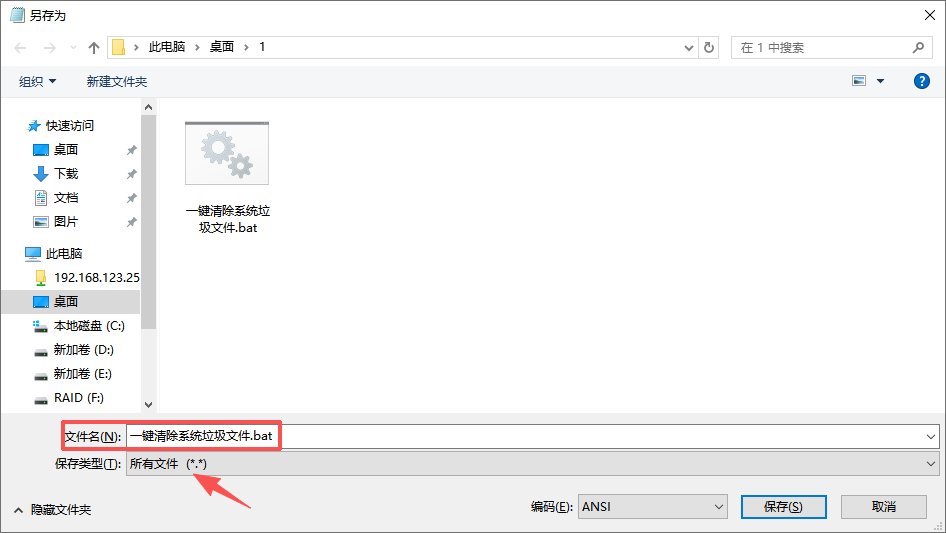
把上面文件复制出来保存到文本文件中,然后另存名称为“一键清除系统垃圾文件.bat“,文件类型选择"所有文件"
上一篇:WIN10触摸屏幕打开软键盘
下一篇:家庭版系统添加组策略

相关文章
猜你喜欢
-
如何看待电脑硬件市场的涨价风暴
推荐一、涨价潮全景:从存储到整机的全面失控
2025 年末的 PC 硬件市场,用 “史诗级涨价” 形容毫不为过。这轮涨势以内存(DRAM)和固态硬盘(SSD)为起点,已蔓延至显卡、CPU 乃至终端整机,形成全产业链共振: 存储领域领涨离谱:16GB DDR4 内存从年初 200 元飙升至 800 元,涨幅超 200%;1TB PCIe4.0 SSD 价格半年上... -
夏普复印机报错FK3原因及解决方法
夏普复印机报错FK3原因及解决方法
错误代码FK3是定影清洁布用完,更换即可
清洁布没有用完的情况下,进程序24-4进行一下全清... -
win11连接共享提示出现了扩展错误解决方法
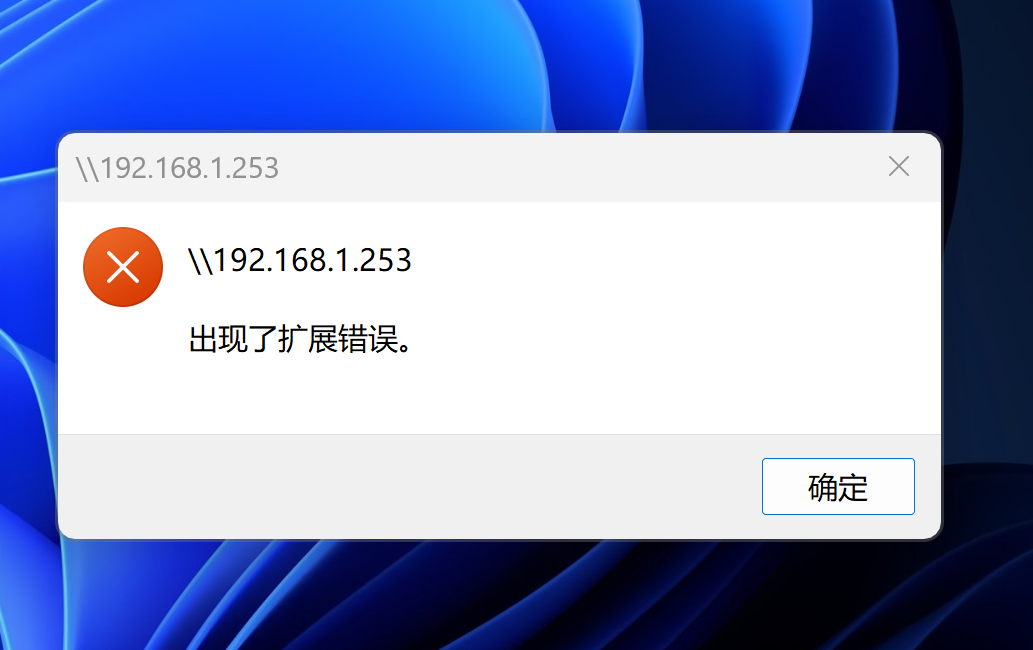
Windows 11 在访问共享文件时出现“扩展错误”,通常是由于系统安全策略调整导致的SMB协议兼容性问题,‌可通过禁用SMB签名要
核心解决方法
以下方法针对Windows 11 24H2等版本因默认启用严格安全策略而引发的错误,操作前建议备份重要数据。... -
联想小新黑屏办法集合
联想小新黑屏办法集合
一、新手方法
能开机亮键盘灯:
开机黑屏,拿个手电筒倾斜着照屏幕,看是否有图像画面。如果看不到,就按FN+F6调整那个亮度按键调亮。如果还不行,下一个。
完全黑屏无反应:
关机,拔掉充电器,拔掉外接鼠标,所有外接设备。长按电源键30S,记住,必须30秒,按完了松手,插上电源,等1分钟后,再按下开机键,就可... -
Teams个人版正式退出中国大陆市场
本次微软调整仅针对Teams个人免费版(Teams Free),企业商业版、教育版Teams服务完全不受影响,并非全线Teams产品退出中国市场。服务关停以中国大陆IP地址为判定依据,境外网络环境下个人版仍可正常使用。一、官方关停时间线(权威定稿)1. 移动端(安卓/iOS):2026年5月已全面停用,个人账号无法登录、使用任何功能
2. 桌...


